

MetaField (SaaS)
Year: 2025-2026
My role: Sr. UX/UI Designer
Team: Agile Frameworks
Product
UX/UI Design
Visual Design
Brand Design
Accessibility
iOS/Android
Web App
Mobile app
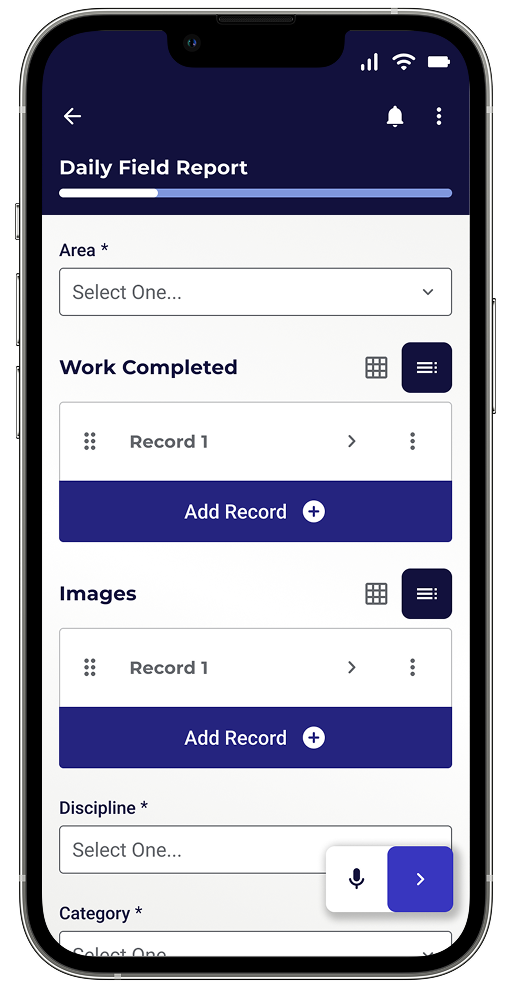
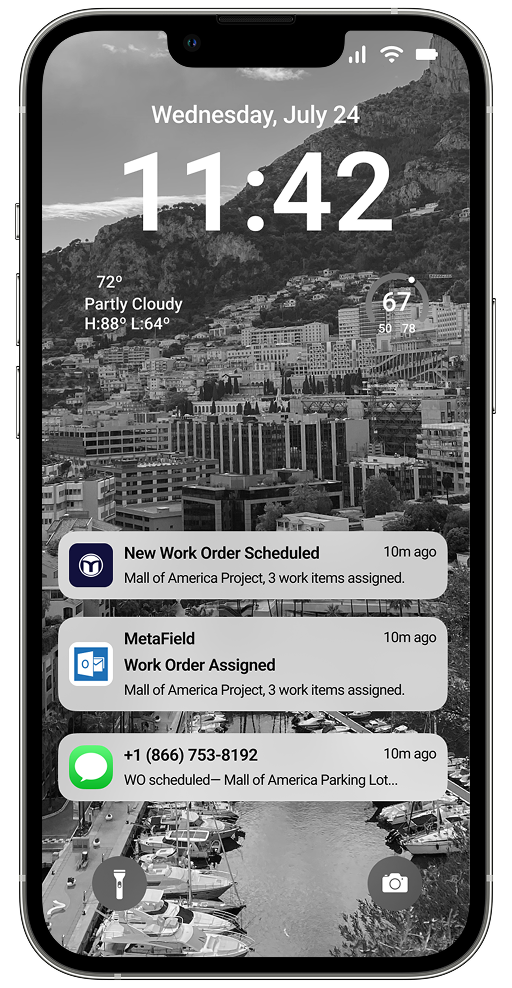
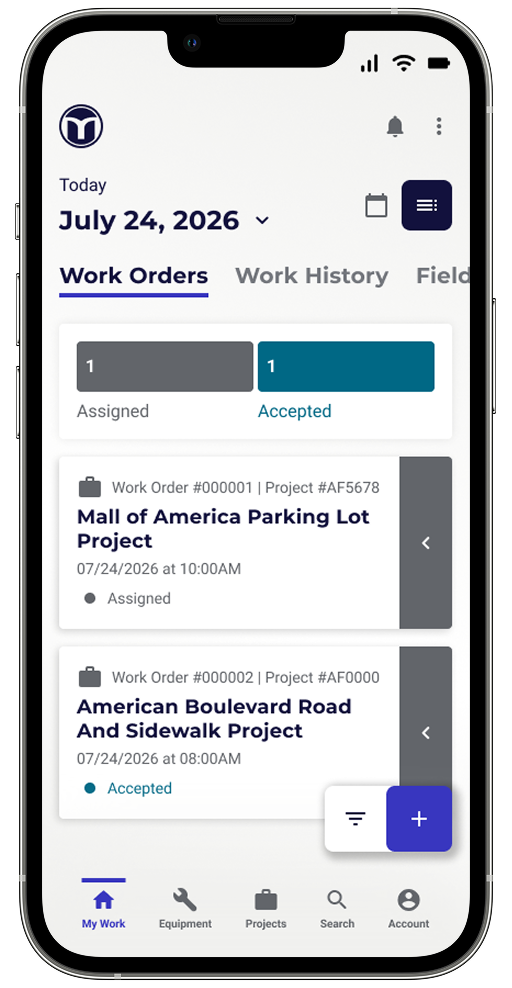
The MetaField Mobile App Field Experience is the next-generation field interface launching in 2026, designed to give field users a single, connected workflow "from field to lab to report." It centers on how technicians receive, plan, and complete their work on mobile devices, letting them view incoming work orders, organize their day or week, accept or decline jobs, and complete field forms (such as density tests, boring logs, and daily field reports) directly on-site. A core design principle is reliability in the field, with offline support so users can complete and save forms even with little or no internet connection, plus an emphasis on clear naming/terminology, intuitive navigation, and in-app training that fits how field crews actually work.
-
Receive new-work notifications (push/SMS/email), view and toggle between calendar and list views, filter by date range, and accept, decline, or cancel work orders.
-
Tab-based navigation to pick and fill out form types, create blank or copied form records via a FAB button, and browse drafted records in a folder structure.
-
Fill out and save forms (e.g., Daily Field Reports) without an internet connection, addressing the common reality of poor field connectivity.
-
Clear, plain-language field labels, helper text, and obvious required vs. optional fields, tested against users' everyday terminology.
-
In-app guided walkthroughs, tooltips, and short videos tailored to field users' learning preferences and limited time.
Web Application
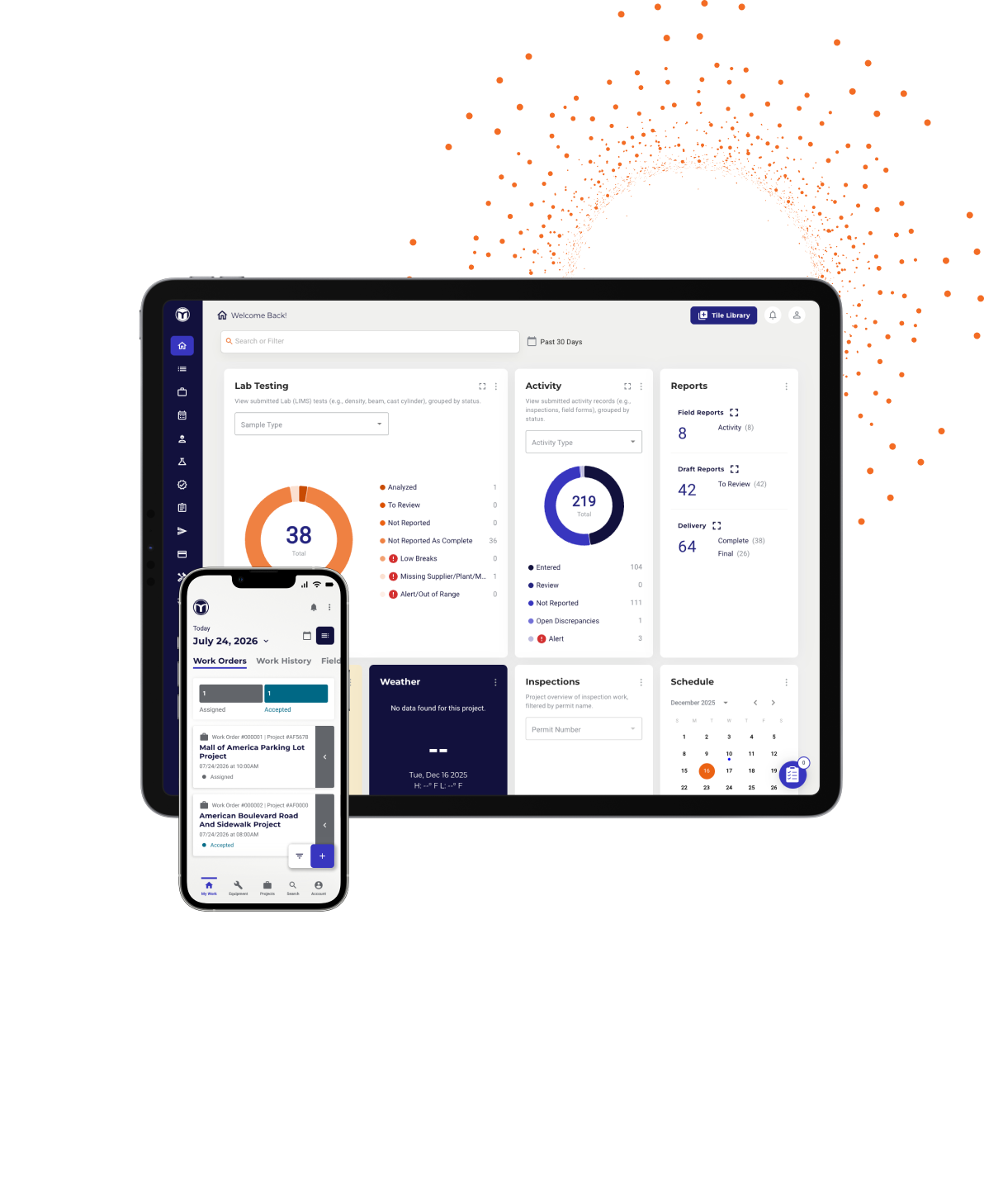
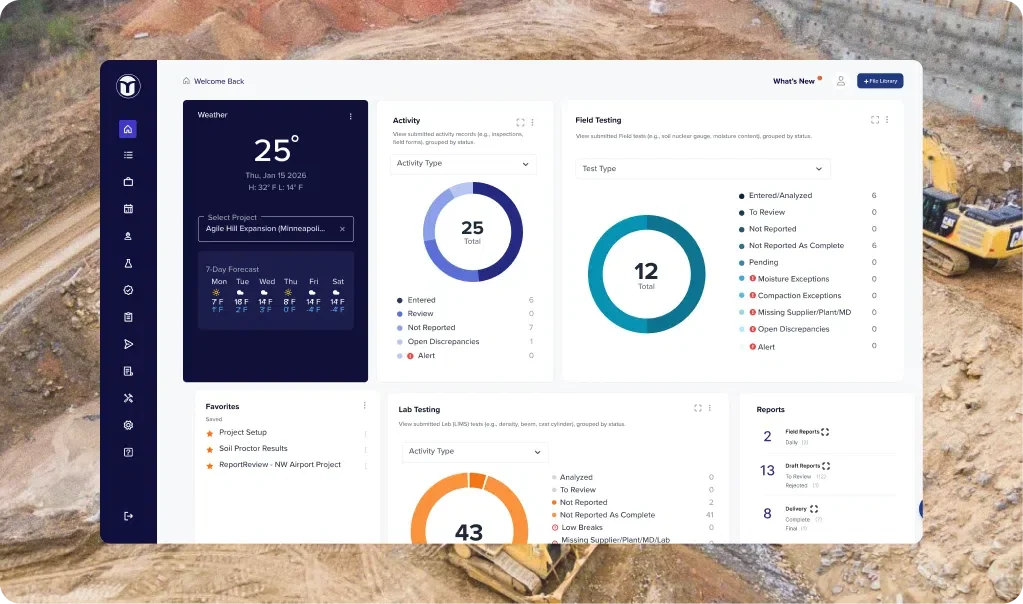
The MetaField web app is the office- and lab-facing side of the platform, the "back office" counterpart to the mobile field app, that brings scheduling, lab operations, review, and billing together in one connected system for geotechnical engineering, construction materials testing, and inspection firms. Where the mobile app captures data in the field, the web app is where schedulers dispatch crews, lab teams manage samples and tests, reviewers approve results, and billing turns logged work into invoices, all without paper, duplicate entry, or lost context.
A central design goal of the current redesign is that nothing gets "stuck" or lost: every sample and test carries a clear state, owner, next step, and field context (boring ID, depth, MetaField sample #), and field context (boring ID, depth, MetaField sample #) stays attached all the way through to the finalized report.
-
Real-time visibility and centralized scheduling to create work orders and send the right crews to the right jobs faster.
-
A built-in lab information system that tracks every sample from collection through testing with full chain-of-custody, a primary "Tests" working view plus a manager-oriented "Samples" view, assignment state controls (cancel/delete in early states, "Assigned on" / "Due by" signals, rush indicators), and prefill/carry-forward to eliminate re-entering project metadata.
-
Tools to review, approve, and finalize reports and deliver them to clients digitally, with an active focus on performance (fixing slow loading and "spinning wheels" during finalization).
-
Automatically captures billable work to generate accurate invoices in minutes, with requests like subtotals and rush/priority feeding downstream billing codes.
-
Keep field context visible everywhere, reduce duplicate entry, and resolve "untested"/exception items so dashboards stay clean and actionable.
Data Extracts
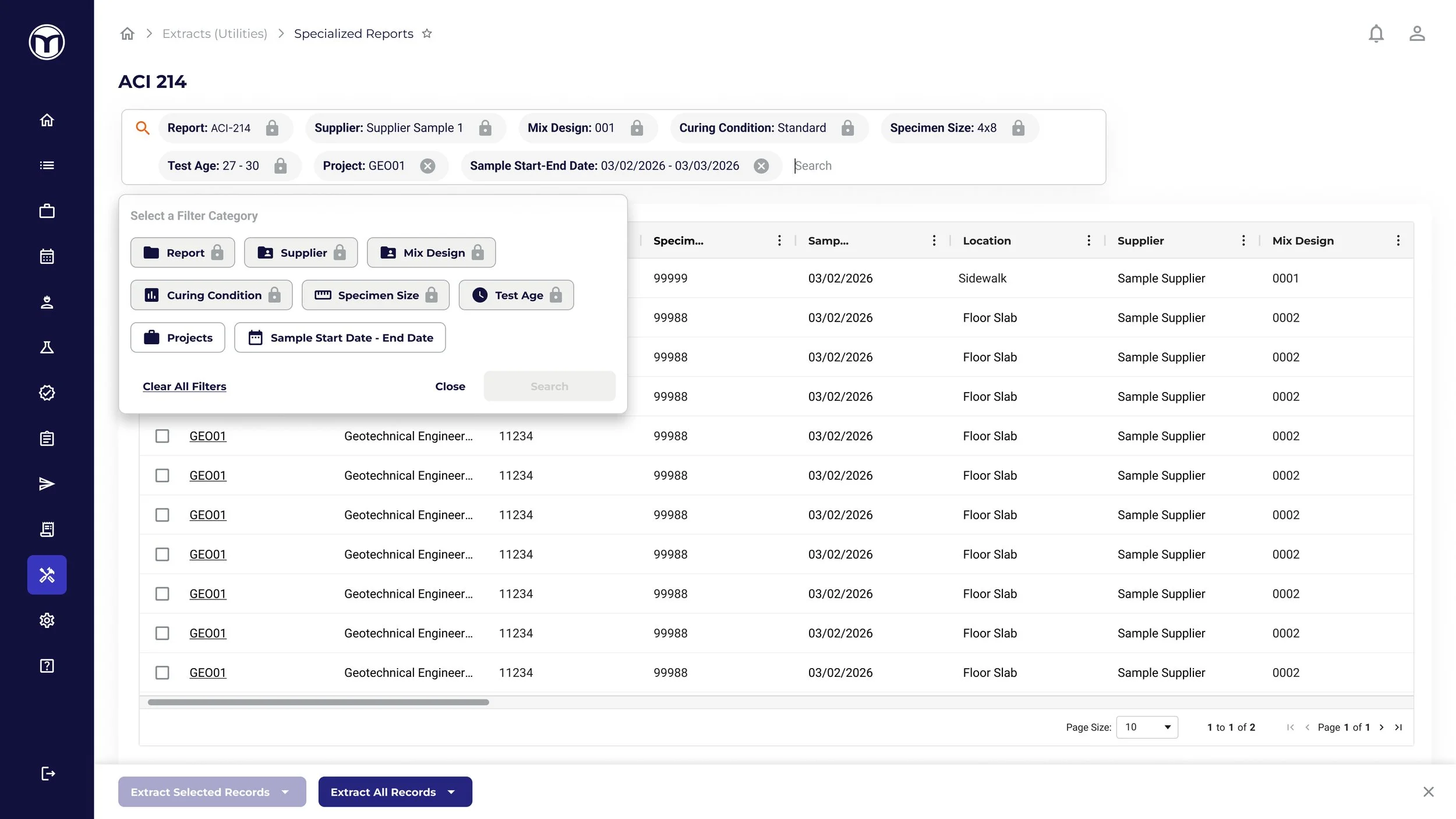
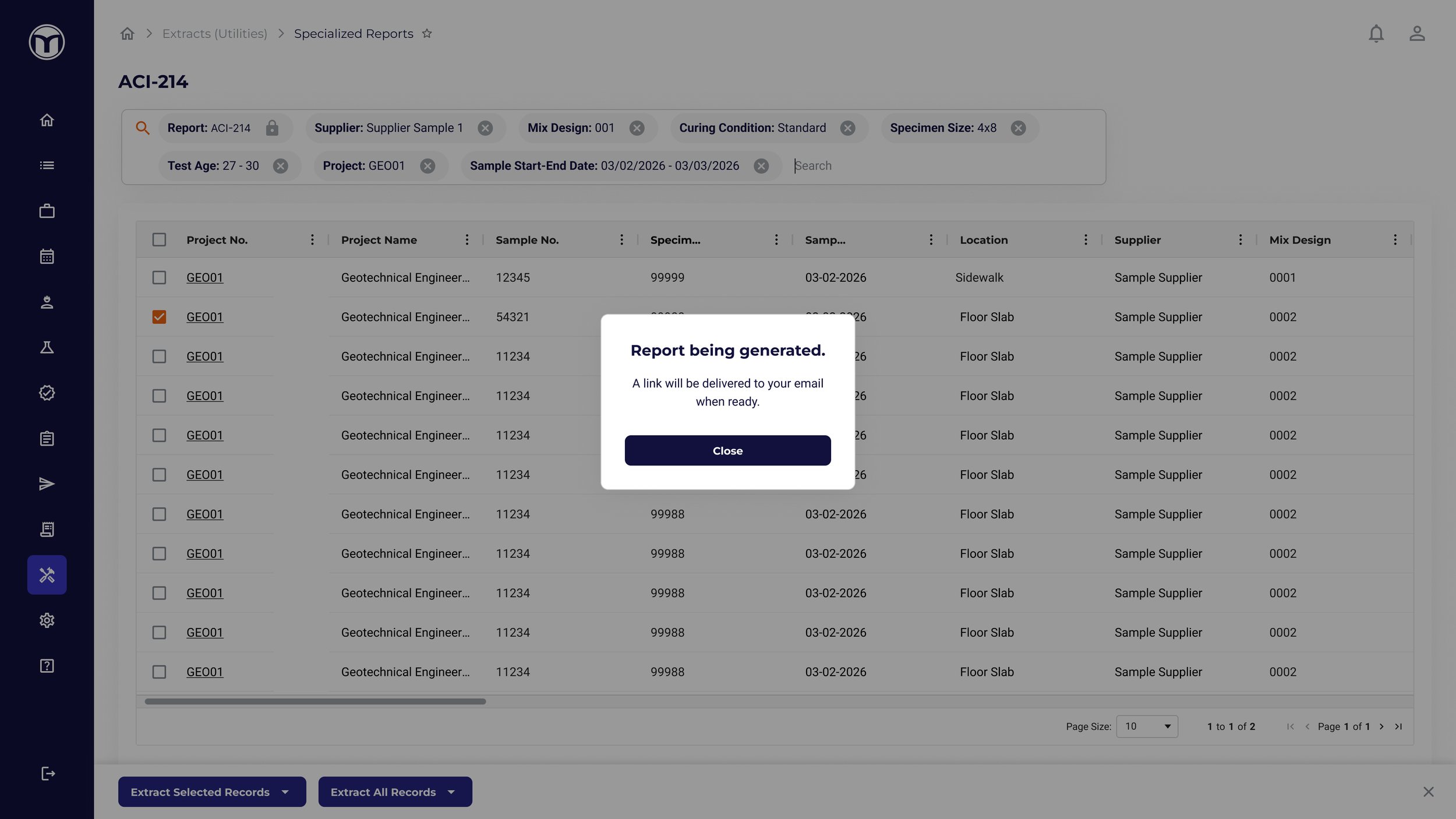
Data Extracts is MetaField's structured data-output layer, the way the data captured in forms flows out of the platform into standardized, downstream-usable formats rather than staying locked in reports. It's the downstream endpoint of the platform's data model: every field designed in the Forms Builder is meant to feed an Extract (or a Report, or an external system), so form design decisions, pick lists over free text, stable internal field IDs, how repeating groups are shaped, are explicitly made with Extracts in mind to protect data quality and predictability. The industry-specific file-extraction capability (AGS, the standard geotechnical data-interchange format, plus CAD-oriented DXF outputs) has shipped, while the broader "Data Lake / Ops Insights" vision under which Extracts sits is still evolving.
-
Get MetaField-captured field and lab data out in structured, consistent formats so it can be reused in external systems, analysis, and industry deliverables without re-keying.
-
Industry-standard AGS files (test schedules and test results) and DXF (CAD) outputs; sample AGS/DXF files are kept as customer examples.
-
Extracts depend heavily on upstream data hygiene: structured field types (pick-lists, booleans, numbers with units) "protect Extracts," internal field IDs must stay stable and traceable across forms/Extracts/Reports, and any field type that doesn't map cleanly to Extracts should be flagged before shipping.
-
How repeating groups/data grids export to Extracts must be confirmed before release, since "this is where data shape surprises happen"; it's an explicit item on the Forms QA checklist.
-
Changing a published field's type or removing a field can orphan or break existing data and its downstream Extracts, so versioning must be handled deliberately.
-
File Extracts (AGS) is launched (rolled out ~March–April 2026). The larger Data Lake / Ops Insights initiative it belongs to is currently delayed/blocked and appears to be pivoting toward an MCP-based approach; the dedicated Extracts UI-guidance docs are not yet written.
Timesheets
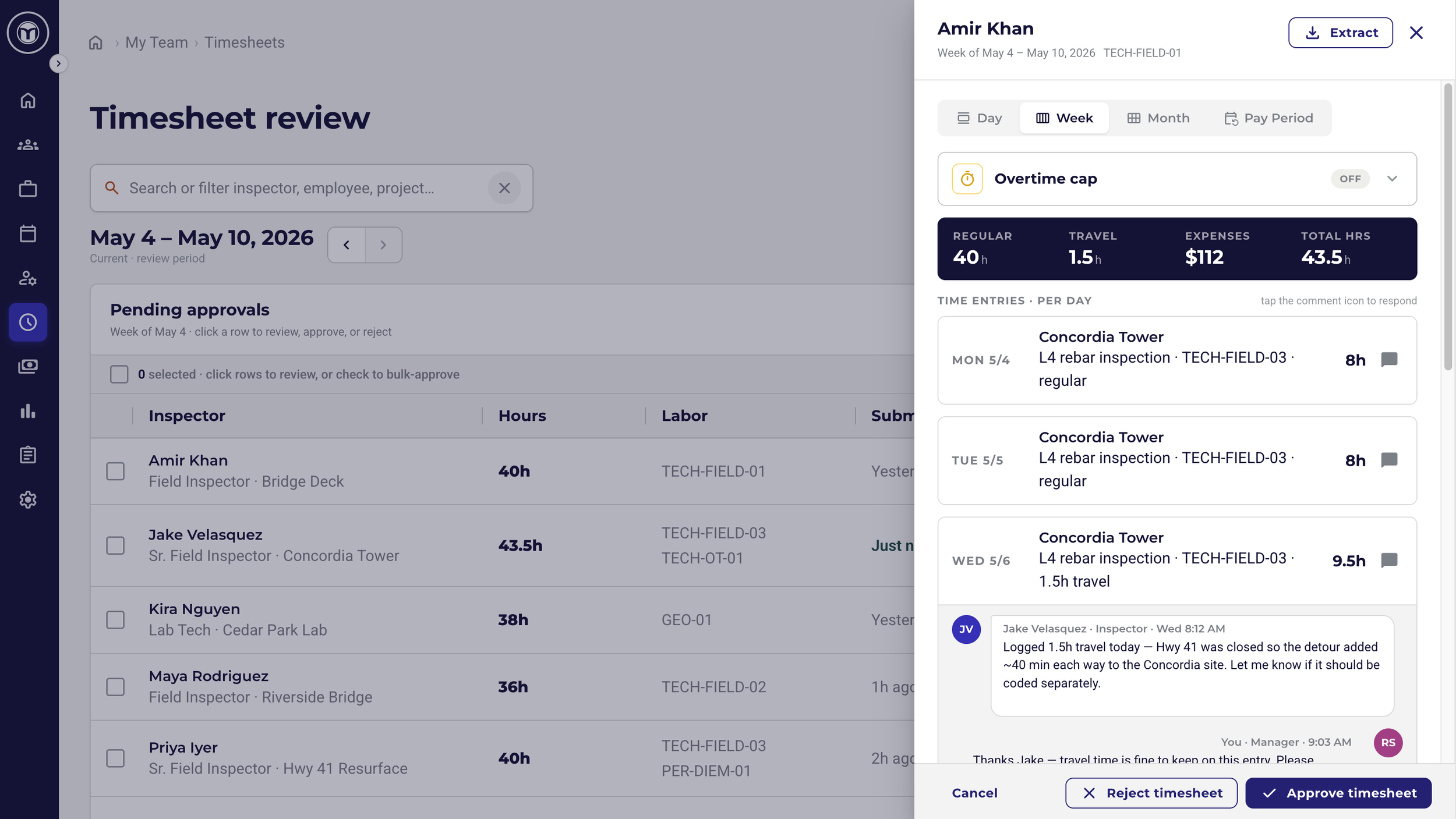
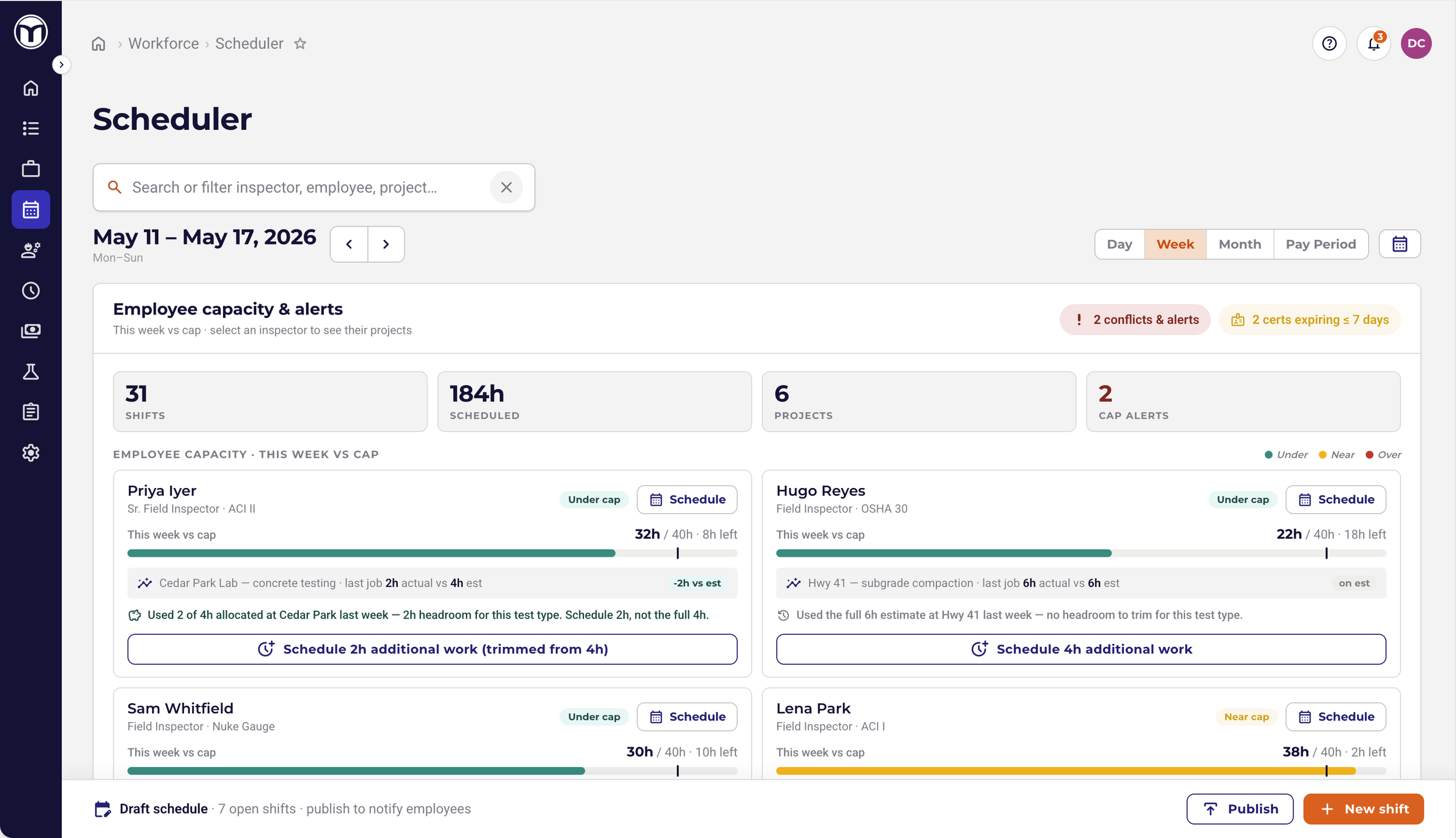
Timesheets is a planned MetaField module that brings time tracking into the platform as a native capability, so field, lab, and office staff no longer have to track time in third-party tools or DIY workaround forms. The core problem it solves is accuracy: today, there's a gap between when users log in to MetaField and what lands in their ERP/payroll systems, plus frequent billing-code errors that are sent back for correction. By letting users capture time in real time, tie it directly to work orders, projects, and labor codes, and route it through manager approval and into invoicing and payroll, Timesheets aims to be a "one-stop shop" that consolidates scheduling, testing, reporting, and now time tracking in a single system.
Strategically, it's also positioned to close a competitive gap (against eField, Vahalo, Elmtree, Omnant), grow the user base since anyone who enters or approves time would need MetaField, and open the door to richer invoicing.
-
Any user can start and stop time from any MetaField page, tied to a work order, project, and/or labor code, with daily entry and weekly (spreadsheet-like) views.
-
Look up labor codes, add expenses with receipts, log time even without assigned work, and get location-based prompts (alerts when near a project site to start/stop, and when scheduled/estimated time is being exceeded).
-
Users and managers are alerted as a full week/overtime approaches; managers can approve, pause, or disable timesheets and limit additional scheduling for users in overtime.
-
Users submit weekly time for manager/admin approval; approved time can't be edited (change requests go to the manager with notifications), and managers can reject a whole timesheet or a single entry with correction notes.
-
Time against work orders flows into the invoicing transactions table with Work Breakdown Structure and costs; admins can re-code entries, view cost-vs-billable profitability, and send/export hours and labor codes to payroll (e.g., QuickBooks integration, with Excel export for smaller customers).
-
Schedulers and project managers can see time logged per project/work order, gauge profitability, and adjust future scheduling based on actual hours used.
-
First iteration focuses on field and lab technicians entering/submitting their own time and managers approving; non-field-tech time tracking, historical DIY-form compatibility, and billing source-of-truth are out of scope initially.
Social Media
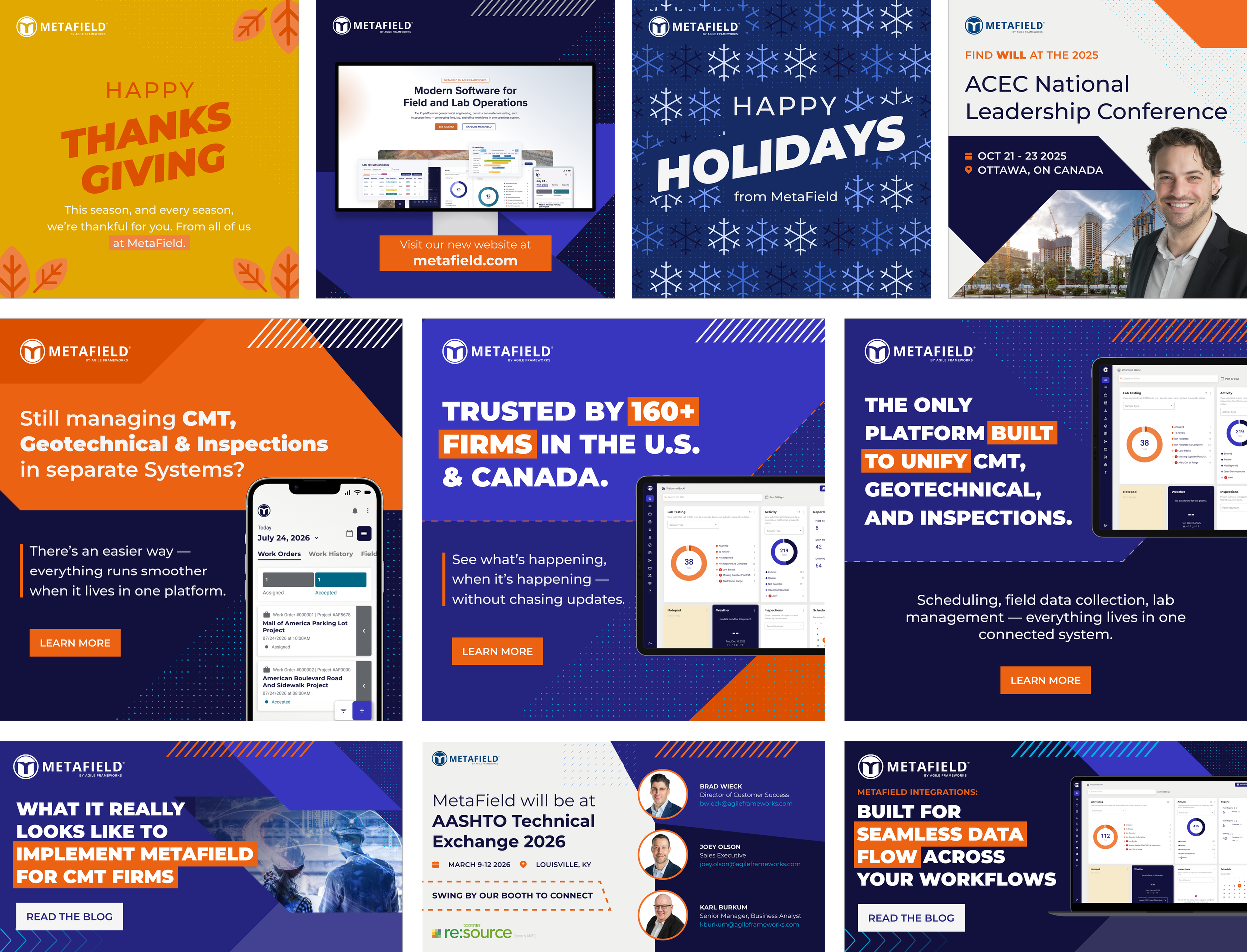
MetaField's social media is a design-and-marketing content operation aimed at promoting the platform and its features to the geotechnical, construction materials testing, and inspection audience. Rather than being a feature inside the app, it's a steady stream of branded graphics and posts produced on request and tracked through a shared design-request workflow, where each piece moves from intake through design, review, and completion. The content leans heavily on showcasing MetaField's capabilities—feature launches, "beauty shots" of the product UI, integrations, blog promotion, and the broader "one platform, every workflow" brand story—with consistent MetaField branding and clear calls to action (e.g., "Learn more," links to metafield.com).
-
Social graphics, social carousels, blog graphics, infographics, paid media, email, website assets, and go-live announcements.
-
Feature/solution promos (e.g., Boring Log Solution, ACI-214 report, Scheduling and Lab "beauty shots"), integration announcements (Unanet, QuickBooks), blog promotion (e.g., "What It Really Looks Like to Implement MetaField for CMT Firms"), and the end-to-end workflow story (field → lab → report → invoice).
-
Major pushes like the website refresh and the domain move, new critical integrations for customers, or events where MF will be.
-
Requests flow through statuses (Backlog → Waiting on Info → Designing → In Review → Complete), each with a requester ("Person"), a responsible designer, a reviewer, a content type, priority, and a "need by" date.
-
Product-screenshot-forward visuals (often composited into desktop mockups), concise headline + description copy, and a consistent CTA driving to the website (sometimes with a QR code)
Marketing
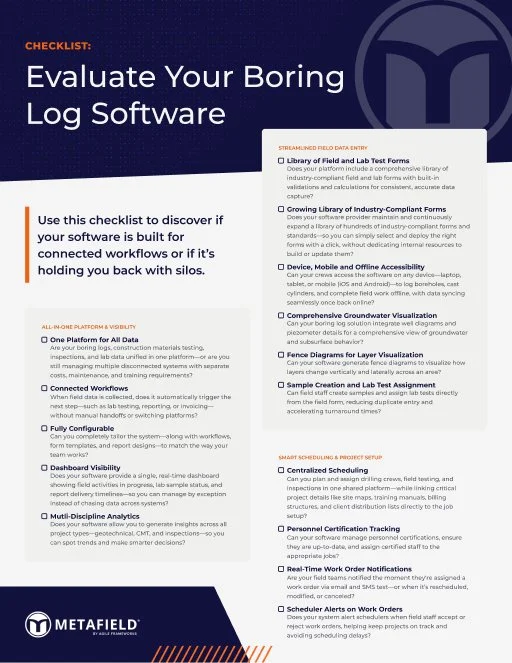
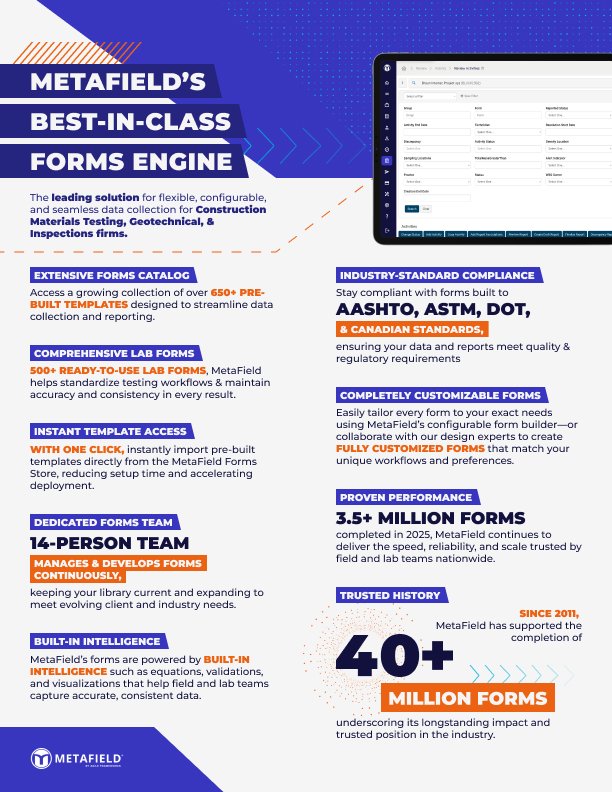
MetaField's marketing is a multi-channel demand-generation and brand function focused on educating and converting prospects in the construction materials testing (CMT) and geotechnical engineering market, and on retaining/expanding existing customers. It runs coordinated campaigns across paid media, email, direct mail, website, and content, backed by a marketing content calendar and a sales-aligned pipeline (e.g., account-based marketing against target accounts in Salesforce). The work spans awareness and lead gen (blogs, ads, landing pages) through sales enablement (case studies, overview videos, integration messaging) and product marketing moments like feature launches and the rebrand/domain move to metafield.com. It also partners closely with UX/Product on research-incentive campaigns that recruit users for feedback.
-
Paid media, email series, direct mail, website/landing pages, and organic social/blog content.
-
Account-based marketing (e.g., a 3-month campaign targeting the top 100 prospect accounts, ~25 per rep), demand generation, sales enablement, and product/feature go-lives.
-
Blog posts and promo graphics (e.g., "Most Extensive Integrations in CMT & Geotech," "What It Really Looks Like to Implement MetaField"), overview videos, case studies/customer insights, integration announcements (Unanet, QuickBooks), and email nurture series.
-
Digitizing CMT forms, faster report generation, addressing staffing/talent shortages, integration breadth, and the "one platform, every workflow" story.
-
Survey and prototype-testing giveaways (e.g., $500 gift cards for Mobile and Geotechnical studies) to gather user feedback that shapes the product.
-
Salesforce (target accounts), HubSpot (forms), Unbounce (landing pages), 6Sense (ABM/ads), plus Maze and Hotjar for research campaigns.
The MetaField Way
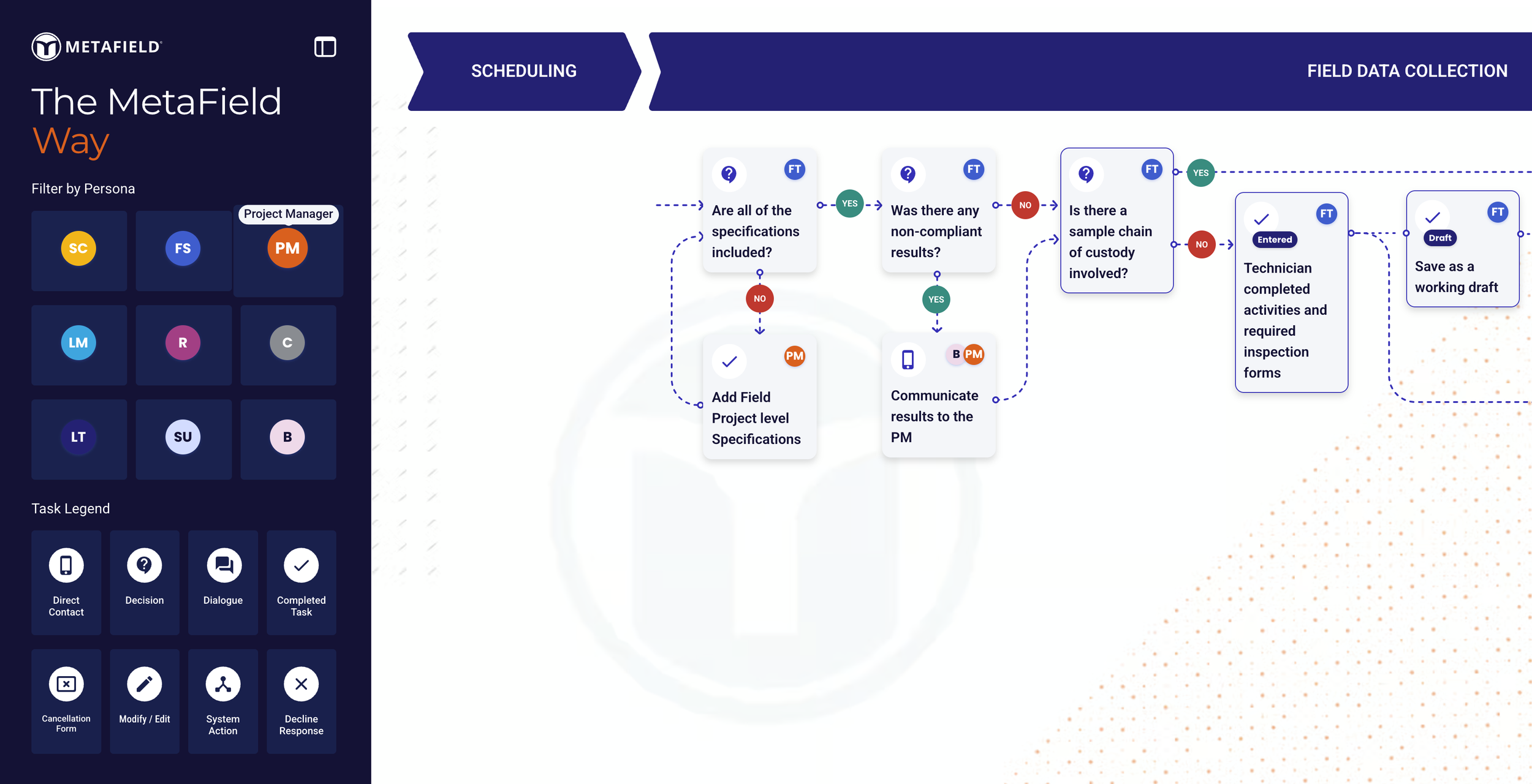
The MetaField Way is an educational framework and interactive asset that teaches customers and internal teams how to use MetaField "the right way" to get maximum value from the platform. Rather than being a product feature, it's a visual, step-by-step guide to best practices for setup, adoption, and ongoing use—codifying "what good looks like" across MetaField's modules and workflows. Its purpose is to create a shared understanding and alignment between customers and the internal implementation, CSM, product, and sales teams on the ideal customer journey, so firms can reach value faster with less hand-holding from Agile Frameworks. It reinforces MetaField's positioning as a "system of action" and "operational workflow platform," and is being published/relaunched on its own domain (themetafieldway.com) with an active committee continuing to refine it.
-
A visual framework and interactive step-by-step graphic showing optimal module-usage paths, with guidance on configuration, workflows, and data quality, plus supportive examples and explainer videos.
-
Persona-based filters that tailor guidance to each role (field, lab, scheduler, manager, admin), and content organized around three lenses: how to configure the tool for you, how users use the tool, and what the value is.
-
Establish a shared definition of "using MetaField the right way," align customer + implementation + CSM + product teams, and empower firms to educate their own users in-app (reducing time spent learning from AF teams).
-
Used in onboarding and implementation sessions, in CSM discovery/enablement for existing accounts, and published externally on themetafieldway.com.
-
≥70% perceived usefulness; targets like ≥65% of CSM-led accounts finding it useful, ≥70% of newly implemented customers saying it clarified expected workflows, sequencing, and role responsibilities; measured via in-app pulse surveys, implementation retros, and CSM tagging in Salesforce. A "User Understanding Score" (UUS) is also tracked.
Results
Mobile App (Field Experience)
Within 90 days of launch, 60% of users open and log in within their first 7 days of downloading (tied to the 60% adoption OKR), with a target CSAT > 70% after the first 90 days.
Data Extracts (Boring Logs: AGS Export)
Export duplicates kept <10% and a median time from opening the export modal to format selection of <15 seconds—clean, fast, error-free exports of a net-new capability.
Web App / Lab
< 20% of users try the new assignment flow once and revert to the old part of the product (i.e., 80%+ stick with the redesigned experience).
The MetaField Way
>70% perceived usefulness to users, with >65% of visitors staying on the page at least 2 minutes.
Summary of metafield.com
Led product design across the platform's mobile field app, web office and Lab experiences, and specialized outputs like Boring Logs and ACI-214 reports. I grounded my work in user research and a UX success-criteria framework that tied design decisions to measurable outcomes.
I also scaled design quality company-wide—authoring the Forms and Report Designer Guidelines, aligning to the Blueprint design system, contributing to the MetaField Way, and supporting brand work including the rebrand to metafield.com.


